GearChain Brings Live Barcode Inventory Tracking to Excel for the Web
Personal and business Microsoft accounts can connect daily stock movements to Excel reporting without a custom software project.
SAN JOSE, Calif., Oct. 28, 2026 /PRNewswire/ -- GearChain today announced real-time inventory synchronization with Excel for the web for personal and business Microsoft accounts. Teams can record stock movements in GearChain and automatically update a connected Excel workbook in OneDrive, reducing repeated exports and manual reentry.
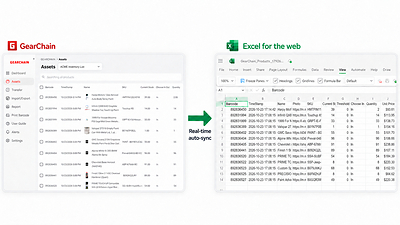
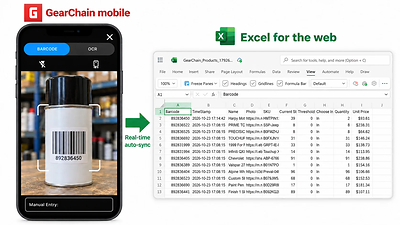
For inventory teams, an Excel report is only as useful as the stock activity behind it. When receipts and stock issues are recorded elsewhere and copied into a workbook later, office staff may be working from yesterday's numbers. The integration connects the place where inventory is recorded to the spreadsheet used for reporting.
Staff scan barcodes and record receipts, stock issues, and adjustments in GearChain, while office staff review the connected workbook. For example, a parts stockroom can record an item being issued and make the updated balance available in Excel without another person typing in the change. The same process supports repeated daily transactions as staff receive deliveries, issue supplies, and check remaining stock.
"A team should be able to scan stock in or out and keep its Excel reporting current," said Harry Jung, Co-founder and CEO of GearChain. "GearChain combines that daily work with shared records, staff permissions, and movement history, so teams can configure their inventory workflow without building and maintaining their own software."
Custom forms let teams capture details needed at the point of work, such as a part number, supplier, storage bin, unit price, or location. Forms can be adapted as operational needs change. Teams can organize inventory across multiple locations and use GearChain on the web, iOS, and Android.
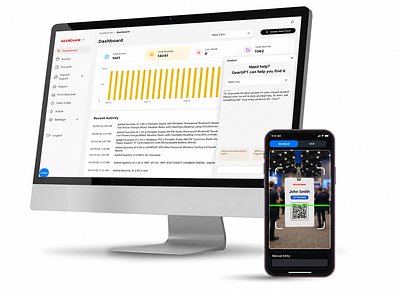
Staff permissions control access to shared inventory, while movement history lets teams review recorded changes when investigating a stock discrepancy. These functions give teams a consistent process for receiving and issuing stock alongside the reporting connection. Managers can review activity in GearChain and use the connected workbook to share inventory information with colleagues. Teams can use those records to check whether a delivery was entered, understand a quantity adjustment, or follow up on a stock issue before placing another order.
How the Excel integration works
To enable synchronization, users connect their Microsoft account, export their GearChain inventory to OneDrive, and enable Real-time Sync. Subsequent updates flow one way from GearChain to the connected Excel workbook. Spreadsheet edits do not automatically change inventory in GearChain. Automatic updates require a working connection.
Teams can import an existing inventory list before setting up synchronization. Importing a file and connecting a workbook are separate steps: the GearChain workbook exported to OneDrive becomes the destination for ongoing updates.
Excel remains a familiar place to review inventory data while GearChain maintains the operational records. Custom formulas and reports should be kept in a separate reporting file because managed export cells may be rewritten during updates.
Supported accounts include personal Microsoft accounts using the free Excel web app and Microsoft 365 business accounts. GearChain plan requirements apply.
GearChain is also listed on Microsoft Marketplace. For setup and supported capabilities, visit gearchain.io/integration. Pricing and trial details are available at gearchain.io/pricing.
About GearChain
GearChain provides inventory and asset tracking for teams that need mobile barcode scanning, custom forms, shared access, and stock movement history. Its spreadsheet integrations send inventory updates to Google Sheets and Microsoft Excel. The platform helps teams maintain daily inventory workflows without commissioning a custom application. Learn more at gearchain.io.
Media contact: GearChain | gearchain.io/contact | 4084188561 | [email protected]
SOURCE GearChain





Share this article